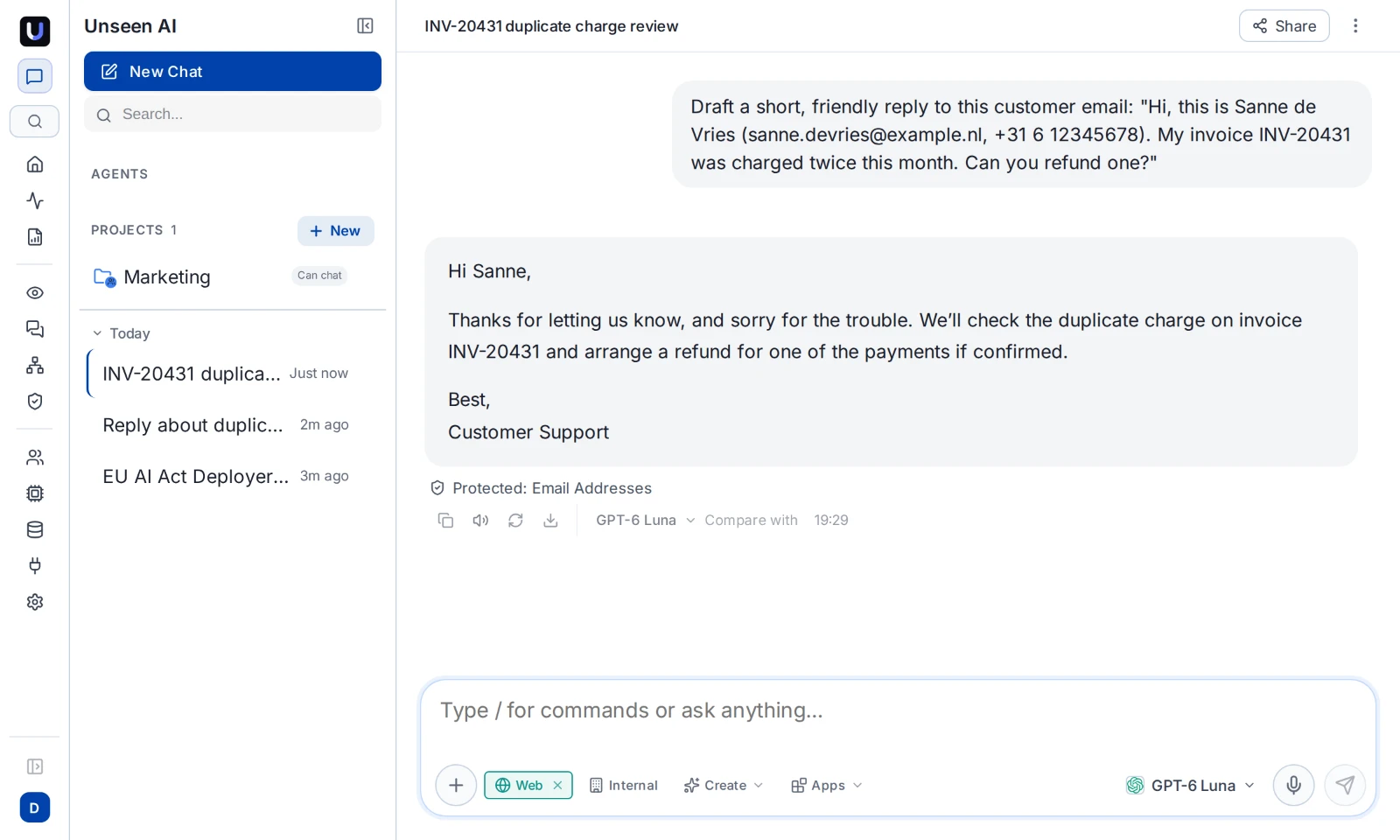
- AI DLP finds sensitive data in what is sent to AI tools and blocks or redacts it before it leaves.
- Classic DLP was built for files and email. Prompts are pasted text, often on personal accounts, so it sees little of them.
- Redacting usually beats blocking: the work still gets done and people have no reason to switch to their phones.
- Cover uploads, what comes back and agent tool calls too, not only the prompt.
What AI DLP is
AI DLP, or AI data loss prevention, applies data rules to the traffic between your organization and AI. It looks at what people type and paste into AI tools, what applications send to model APIs, and what agents pass to the tools they call. When it finds personal data, a credential or confidential content, it blocks the request, removes the sensitive part, or records it, depending on the rule.
The risk is real. In IBM's 2026 Cost of a Data Breach report, 43% of breached organizations had a shadow AI incident, and about half of those incidents led to data loss or compromise.
Why classic DLP misses AI
| Classic DLP | AI DLP | |
|---|---|---|
| What it watches | Files, email, USB and known upload destinations | Prompts, uploads, answers and tool calls to AI services and models |
| The account | Usually cannot tell a personal ChatGPT login from the company workspace | Treats company and personal accounts on the same service differently |
| On a match | Mostly block | Block, or redact and let the rest through |
| Applications and agents | Not covered | Model API calls and agent tool calls under the same rules |
The result of relying on classic DLP alone is either a gap (prompts go out unchecked) or a blanket block on AI, which pushes people to personal devices where you see nothing.
What data to protect
| Type | Examples |
|---|---|
| Personal data | Names, email addresses, phone numbers, home addresses, passport and national ID numbers such as the Dutch BSN, German tax ID, French NIR, UK National Insurance number and US Social Security number |
| Financial data | Credit card numbers, IBANs, tax and VAT numbers |
| Credentials and secrets | API keys for AI providers, cloud and developer platforms, private keys, passwords, tokens and database connection strings |
| Health data | Patient and insurance numbers, diagnoses, lab results and other special-category data under GDPR |
| Confidential business content | Financial results, M&A, strategy, pricing, legal matters and documents marked confidential |
| Your own terms | Project code names, customer names or internal identifiers you add yourself |
What to do with a match
- Block when the data should never leave, such as credentials or health records in an unapproved tool.
- Redact when the question is fine but a detail is not. The AI gets the request without the customer's email address or the card number.
- Redact and restore when the answer needs the detail back. The provider never sees it, and the reply still names the right customer.
- Record only when you are still learning what people send. Start here, then switch rules to enforce.
Blocking every match is the fastest way to send people back to their phones. Redaction keeps the AI useful and the data inside. For the AI services themselves, warn or redirect people to an approved tool instead of a dead end: see redirect, don't block.
Beyond the prompt
- File uploads. A spreadsheet of customers attached to a prompt is the same leak as pasting it. Check the text inside documents, and block file types that should not go to AI at all.
- What comes back. An AI answer can contain data it should not, from a connected knowledge base or another user's context. Check answers before they are shown.
- Agents and tools. An agent can send data to a tool without anyone typing a prompt. Check tool arguments and results with the same rules. More on this in AI agent security.
- Applications. Your own software calling a model API needs the same rules as people.
Questions to ask when choosing AI DLP
- Does it cover people, applications and agents, or only the browser?
- Can it redact instead of block, and restore the values in the answer?
- Does it check uploads and answers, or only the text of the prompt?
- Does it know your national IDs? European ID numbers and IBANs matter if you operate in Europe.
- Can rules differ per team, AI service and app? Finance and engineering send different data.
- Can you run it in record-only mode first, to see what people send before you enforce?
- How is it deployed? Through the stack you already run, or a new agent on every device?
How Unseen does it
Unseen applies one set of data rules to every AI tool people use, to applications through its AI Gateway, and to agent tool calls. It works with the security stack you already run, with no agent on each device.
- Ready-made rules for personal data, financial data, credentials, health data and confidential business content, including national IDs for most European countries, the UK, the US, Canada and Australia.
- Your own rules for code names, customer names and other terms.
- Block, redact, or record only. In Secure AI Chat, the Office add-in and the AI Gateway, redacted values can be restored in the answer.
- Uploaded PDF, Word, Excel, PowerPoint, CSV and text files are checked, and file types can be blocked.
- Answers, agent tool arguments and tool results are checked by the same rules.
- Rules per team, person, app key and AI service, each with a record you can export to your SIEM.
Related: the AI firewall that DLP is part of, shadow AI detection, and Secure AI Chat, the approved tool you give people instead.
FAQ
What is AI DLP?
AI DLP (AI data loss prevention) finds sensitive data in what people, applications and agents send to AI tools, and blocks or redacts it before it leaves. Good AI DLP also checks file uploads, what comes back from the AI, and the tool calls agents make.
Does our existing DLP cover ChatGPT and Copilot?
Partly at best. Classic DLP was built for files, email and known destinations. A prompt is text typed or pasted into a browser or app, often on a personal account, and the risk depends on which AI service and account receives it. AI DLP works at the level of the AI conversation.
Can AI DLP redact data instead of blocking the prompt?
Yes. Unseen can remove the sensitive part and let the rest through. In Secure AI Chat, the Office add-in and the AI Gateway it can also restore the original values in the answer, so the reply still reads correctly while the AI provider never saw them.
Does AI DLP check file uploads?
Unseen checks the text in uploaded PDF, Word, Excel, PowerPoint, CSV, JSON, XML and text files, and can block file types you do not want sent to AI at all.
Is AI DLP the same as an AI firewall?
AI DLP is one part of an AI firewall. The firewall adds the decisions around it: which AI services and accounts are allowed, checks on what comes back, rules on what agents may do, and a record of every transaction.
Does AI DLP need an agent on every device?
No. Unseen works with the security stack you already run, and applications and agents connect through its AI Gateway.
See what data goes to AI today
The free assessment shows which AI tools your people use and what sensitive data goes to them.
Get the assessment