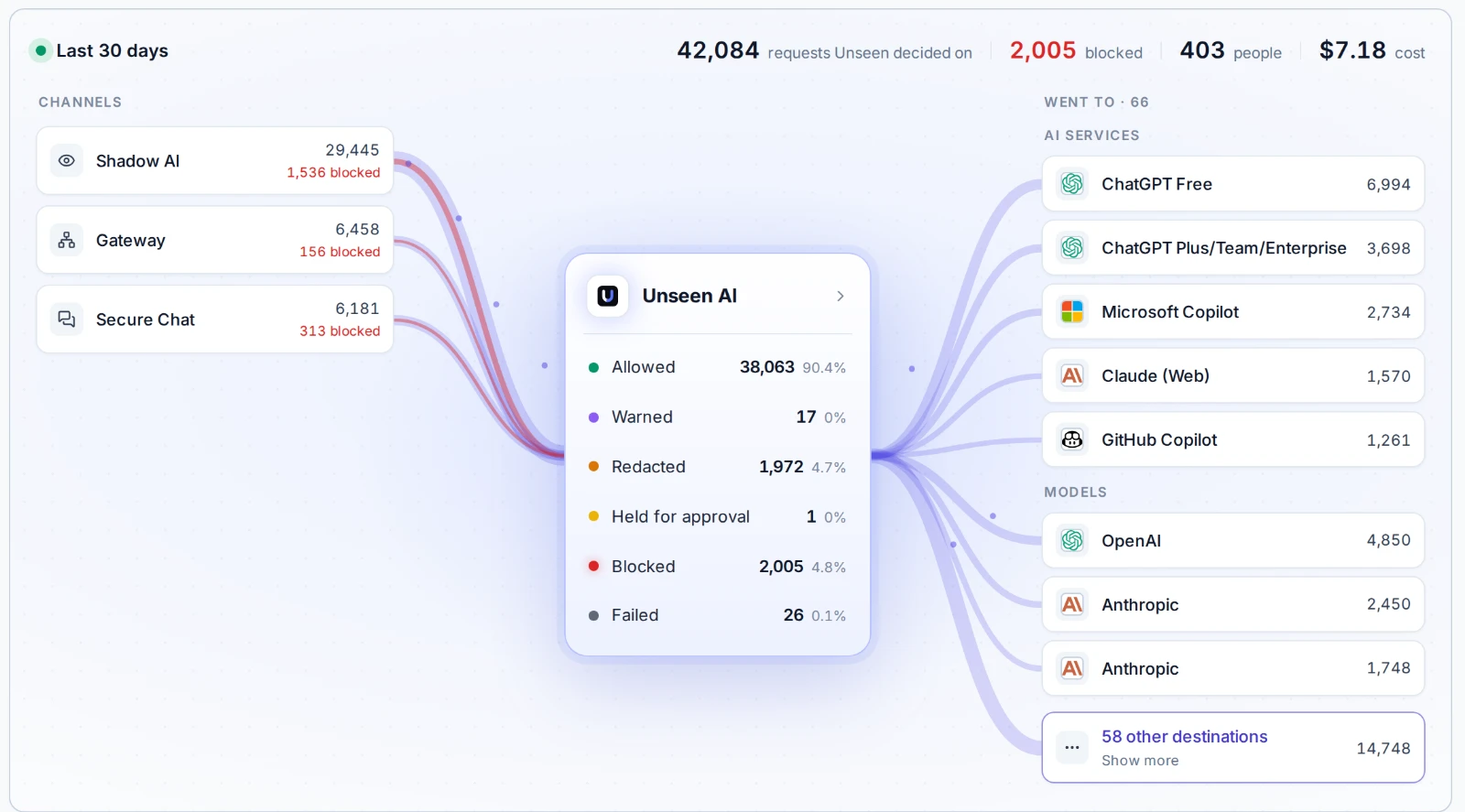
- AI traffic comes from three places: people using AI services, applications calling models, and agents calling tools and other agents.
- An AI firewall decides which services, accounts and tools are allowed, checks what goes out for sensitive data, checks what comes back, and records every transaction.
- A firewall that covers only one of the three leaves the other two open.
- No filter stops all prompt injection. Limit what an agent can do, and require approval for actions that change things.
What an AI firewall is
A network firewall decides which addresses can be reached. It cannot read a prompt, tell a personal ChatGPT account from the company one, or notice that an agent is about to send a customer list to an outside address. An AI firewall works one level up, on the AI conversation itself: which service, which account, what content, and which action.
The term is used loosely. Some vendors mean a filter in front of one model. Others mean a browser plugin that watches chat sites. The useful definition is the broad one: a control point for every AI transaction that leaves your organization, whoever or whatever sends it.
Who sends AI traffic
| Sender | What it looks like | What can go wrong |
|---|---|---|
| People | ChatGPT, Copilot, Claude, Gemini and hundreds of smaller AI services in the browser and in apps, on company and personal accounts | Customer data, source code or contracts pasted into a service with no data agreement |
| Applications | Your own software calling OpenAI, Anthropic or another model API, often with a key stored in the app | Personal data sent to a model unredacted, keys leaked, costs nobody tracks |
| Agents | AI that calls tools over MCP, calls other agents over A2A, and runs commands on a developer's machine | An agent misled into sending, changing or deleting something |
Most products cover one row. Browser tools see people. AI gateways see applications. MCP gateways see agents. The gap between them is where data leaves without a record.
What an AI firewall checks
On the way out:
- The service. Is this AI service allowed, and with what conditions? A service with no data agreement and a training clause is a different risk from the company's enterprise tenant.
- The account. The same service can be sanctioned on the company workspace and shadow AI on a personal login.
- The content. Personal data, credentials, payment details, national ID numbers and confidential files, in prompts and in uploads. Block it, or redact it before it leaves.
- The action. For agents, the tool being called and its arguments. Reading a ticket and closing it are different risks.
On the way back:
- Injected instructions in content the AI reads: documents, web pages and tool results.
- Unsafe output that an application will display or run without checking.
- Leaked secrets, such as an application's hidden instructions repeated back to a user.
Each transaction should leave a record: who or what sent it, where it went, what was decided and why. The OWASP Top 10 for LLM Applications 2026 is a good checklist for the risks on both sides.
Where an AI firewall can sit
| Position | Sees | Misses |
|---|---|---|
| Browser extension | What people type and upload on AI sites, with the user's identity | Desktop apps, applications, agents, and browsers without the extension |
| Network path (proxy, SWG, SSE) | All AI services reached from managed networks and devices, including desktop apps | Traffic from unmanaged devices and networks |
| Gateway | Model calls, MCP tool calls and agent-to-agent calls from software routed through it | Software that calls a provider directly with its own key |
| Inside the application | Everything that application does, with full context | Everything else |
No single position covers all three senders. The practical answer is the network path or a browser extension for people, and a gateway for applications and agents, with the same policies and one record across both.
Prompt injection, and what a filter cannot do
Prompt injection is an instruction that changes what the AI does. It can come from the user, or be hidden in a document, an email or a tool result that the AI reads. Pattern checks catch the known forms, and an AI firewall should run them on both prompts and retrieved content.
But filters do not solve it. The UK National Cyber Security Centre has written that prompt injection may never be properly mitigated the way SQL injection was, because language models do not separate instructions from data. Its advice is to reduce the impact.
For agents, that means controls on the action, not only on the text:
- give each agent only the tools it needs;
- require approval before tools that create, change, delete or send;
- check tool arguments for sensitive data before the call;
- test the agent with attacks written from its own tools, through AI red teaming.
Questions to ask when choosing one
- Which senders does it cover? People, applications and agents, or one of them?
- Can it tell company accounts from personal ones on the same AI service?
- What can it do besides block? Warn, redirect to an approved tool, redact, or hold for approval. Blocking alone pushes people to their phones.
- Does it check what comes back, and tool calls, or only prompts?
- How is it deployed? Through infrastructure you already run, or a new agent on every device?
- Is there one record across all traffic, exportable to your SIEM?
- What does it say about its limits? A vendor that claims to stop all prompt injection is overselling.
How Unseen does it
Unseen covers all three senders with one set of policies. For people, it works with the security stack you already run. For applications and agents, its AI Gateway handles model calls, MCP tool calls and agent-to-agent calls.
- Each AI service is allowed, warned about, redirected to an approved tool, or blocked. Company workspaces can be told apart from personal accounts.
- Data policies find personal data, credentials and other sensitive content in prompts and uploads, and block or redact it, or redact and restore it so the reply still makes sense.
- Prompts and the content AI reads are checked for injection and jailbreak attempts.
- Tool calls are allowed, blocked or held for approval per tool, and tool arguments, results and agent messages are checked by the same data policies.
- Every transaction is recorded with who or what sent it, where it went and the policy that decided it, and can be exported to your SIEM.
More detail: shadow AI visibility and control for people, AI agent security for tools and agents, and prompt injection protection.
FAQ
What is an AI firewall?
An AI firewall is a control point for traffic to and from AI services and models. It decides which AI services and tools may be used, checks what is sent for sensitive data, checks what comes back for injected instructions and unsafe content, and records each transaction. Some products call it an LLM firewall or an AI gateway.
What is the difference between an AI firewall and a network firewall?
A network firewall decides which addresses and ports can be reached. It cannot read a prompt, tell a personal ChatGPT account from a company one, or see that a tool call is about to change a record. An AI firewall works at the level of the AI conversation: the service, the account, the content and the action.
Can an AI firewall stop prompt injection?
It can catch known patterns and reduce the risk, but no filter stops all of it. The UK NCSC has written that prompt injection may never be fully mitigated the way SQL injection was, because language models do not separate instructions from data. That is why an AI firewall also has to limit what an agent can do once it has been misled.
Is an AI firewall the same as AI DLP?
AI DLP is one part of it: finding personal data, secrets and confidential content in what is sent to AI, and blocking or redacting it. An AI firewall adds the rest: which services and accounts are allowed, checks on what comes back, rules on tools and agents, and a record of every transaction.
Does an AI firewall need an agent on every device?
No. Unseen works with the security stack you already run, and applications and agents connect through its gateway.
See what leaves your organization for AI
The free assessment shows which AI services your people use, what data goes to them, and where the gaps are.
Get the assessment