Get AI to every team, and see what they use it for
Give people approved AI, move them off the tools you have not approved, and measure adoption by real use instead of licences handed out.
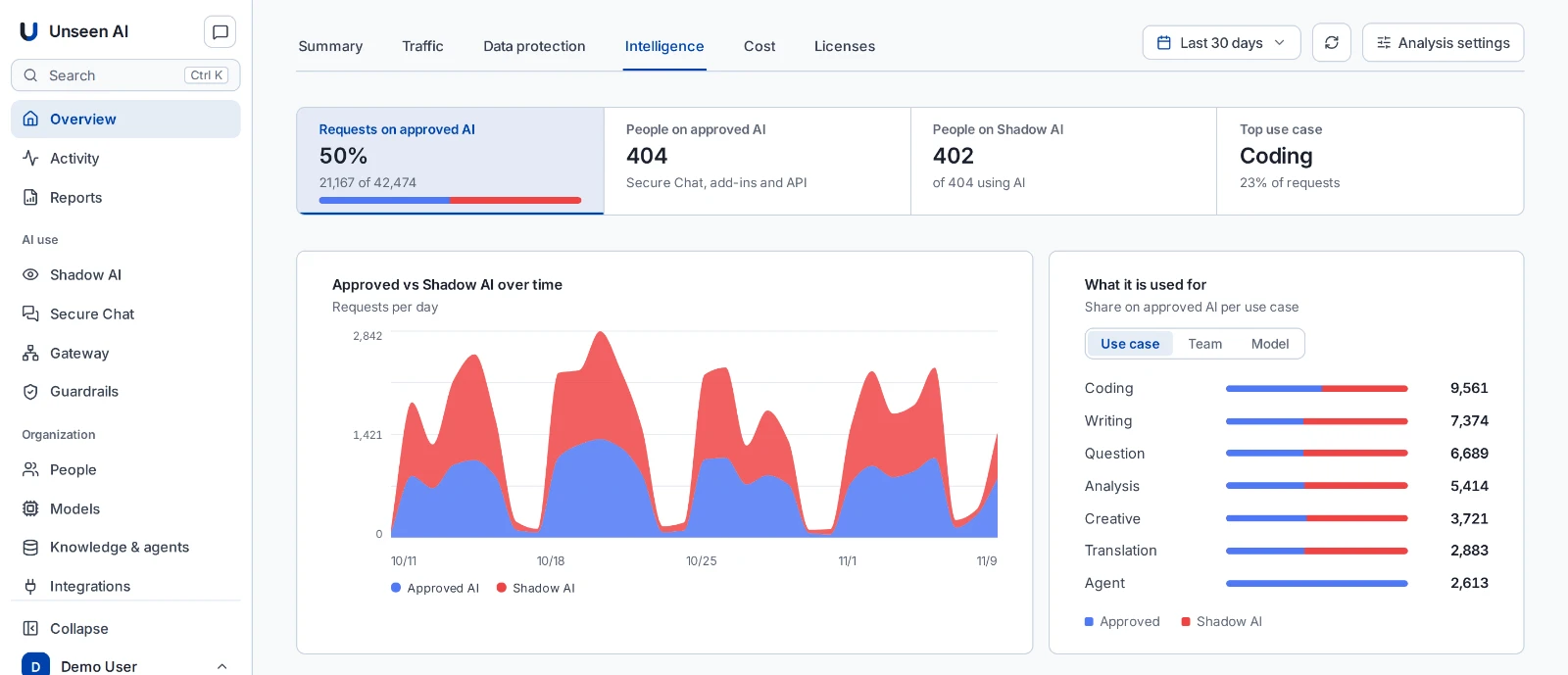
Adoption you can see
People already use AI. The job is moving that use to tools you approve, and knowing it worked.
Approved AI for everyone
Secure AI Chat with the models you approve, billed by use, so access is not limited to a few seats.
Redirect, not a dead end
People who open an unapproved AI tool are sent to the approved one, with a message that says why.
What AI is used for
Coding, writing, analysis, translation: per team and per model, approved and shadow side by side.
The shift, week by week
The share of AI requests on approved tools over time, so you can see the rollout working.
Why AI rollouts stall
Each of these leaves a gap, and shadow AI fills it.
A review for every tool
Each new AI tool waits for its own security review. Momentum dies between the pilot and the approval.
Seats for a few
Per-seat pricing makes AI for everyone a budget line nobody signs, so access goes to a few power users.
One model for every task
Engineering, marketing and legal need different things. One vendor’s model rarely fits them all.
A rollout in four steps
Start from what people already do, not from a pilot group.
- Step 1
See today’s use
Which AI tools people use now, for what, and with what data.
- Step 2
Offer the approved tool
Give every team access to approved models, in chat and in the Office apps they already use.
- Step 3
Move people over
Redirect unapproved AI to the approved tool instead of blocking it outright.
- Step 4
Measure the shift
Track the share of requests on approved AI each month, per team.
Writing the rules first? The AI policy generator drafts an acceptable use policy in ten questions.
Measure adoption by use
Licences handed out say little. These four numbers say whether the rollout works.
| Measure | What it tells you |
|---|---|
| Share of requests on approved AI | Whether people choose the approved tool when they need AI |
| People on approved AI | How far access has spread beyond the first teams |
| Use cases per team | Where AI helps, and what to offer the teams that lag |
| Idle paid seats | Money spent on access nobody uses. See the cost of shadow AI |
Questions
How do you measure AI adoption?
By use, not by licences. Useful measures are the share of AI requests that go to approved tools, how many people use approved AI, which teams use it for what, and how many paid seats sit idle.
Should we block ChatGPT and other public AI tools?
Blocking alone sends people to their phones and personal laptops, where you see nothing. It works better to offer an approved tool and send people there when they open an unapproved one, with a short message that says why.
Why do AI rollouts stall?
Usually for three reasons: every new tool needs its own security review, per-seat pricing limits access to a few people, and one vendor’s model does not suit every task. Each one leaves a gap that shadow AI fills.
Which AI models can people use?
The models you approve, from OpenAI, Anthropic, Google, Mistral, Azure AI Foundry, AWS Bedrock or your own hosting, in one chat workspace and in Word, Excel and Outlook.
Can we see what AI is used for?
Yes. Requests are grouped by use case, such as coding, writing, analysis and translation, per team and per model, for approved AI and shadow AI side by side.